 ovobrowser
Jump to an article section
How to register and subscribe to overseas AI platforms? ChatGPT, Claude Preparation and ovobrowser Management Guide
From official support regions, account verification, subscription payments to browser work environment management, we will outline the compliance preparation process for AI platforms such as ChatGPT and Claude, and introduce how ovobrowser organizes the account environment for personal or authorized use.
1、 Before starting: Check three official requirements first
The registration and payment conditions for AI services such as ChatGPT and Claude are not exactly the same, and may vary depending on the country or region, product version, and time. Do not purchase so-called "registration packages" or third-party accounts first; It is recommended to first confirm whether you meet the current eligibility criteria for using the platform.
- Regional support: View the list of supported countries and regions published by the service provider. OpenAI explicitly states that accessing ChatGPT or API in unsupported regions may result in account blocking or suspension; Anthropic's support policy is also limited to the regions and applicable entities listed on the list.
- Identity verification: Use the email and phone number that I can control for a long time according to the requirements on the registration page. OpenAI currently does not require verification of a phone number when creating a regular ChatGPT account, but for the first time creating an API Key, phone number verification is required; Claude's account creation and payment eligibility are subject to the requirements of his supported regions and mobile phone numbers.
- Subscription and Payment: First, confirm the package benefits, billing currency, taxes, automatic renewal date, and cancellation method. ChatGPT subscription and API usage are charged separately; Claude Pro's monthly/annual payment and payment requirements are subject to the upgrade page display.
2、 Network preparation: Stable access does not mean bypassing regional restrictions
Network connection is the foundation for accessing services, but browsers or proxy tools cannot automatically turn ineligible regions into supported regions. First, verify the platform policies, local rules, and service terms; Only use the corresponding network services when allowed by the platform and local regulations. Do not attempt to bypass restrictions by forging your location, borrowing someone else's identity, or frequently switching exits.
- Use reliable and normal network connections to avoid interruptions in public Wi Fi or conflicts with company network policies.
- If the business does require agency, first confirm the scope of authorization, terms of use, and data processing methods of the agency service provider.
- Do not understand 'IP detection passed' as the platform must allow registration or subscription; The final eligibility is determined by the AI platform.
3、 Account registration: Complete the official process using personal information
- Open the official website of the target AI platform, confirm that the domain name is correct, and read the current registration requirements.
- Use an email that I have long-term control over; If the platform requires mobile phone number verification, use a supported number that can continuously receive verification codes from the user.
- Follow the prompts on the page to complete email, phone number, or other verification, do not purchase accounts of unknown origin, and do not use temporary numbers that cannot be continuously controlled.
- Set an independent and sufficiently strong password; Enable multi factor verification when provided on the platform and save the recovery method.
- Check account security settings, login devices, and notification options after the first login.
When verification fails, do not attempt a large number of numbers consecutively or repeatedly switch regions. First, record the error code and time prompted by the platform, and then check the official help center or contact platform support.
4、 Subscription payment: Only through the official billing portal of the platform
After confirming that payment is indeed required, enter the platform's own billing page. The payment method, currency, and available region may vary depending on the service, account location, and issuing institution. Do not promote a virtual card, gift card, or recharge channel as "100% usable".
- ChatGPT: View the current package and settlement currency on the Billing/Upgrade page in the account settings. OpenAI's official statement lists credit/debit cards and local payment methods available in some regions; Web subscriptions and iOS/Android in app subscriptions are managed by their respective channels.
- API: OpenAI API billing and ChatGPT subscription are managed separately, and purchasing Plus does not equal receiving API credit.
- Claude: Select monthly or annual payment according to the Billing → Upgrade plan process in Claude's settings, and use the credit or debit card accepted on the official page. Pro defaults to automatic renewal, which can be managed or cancelled on the official billing page.
5、 How ovobrowser helps organize AI work environment
When you need to switch between multiple AI products, projects, or team tasks, it is easy to confuse login status Cookie、 Browser data and work records. The function of ovobrowser is to separate and organize the work environment of accounts owned or authorized for use by oneself, reducing duplicate configurations; It is not an account registration service, nor will it change the region, identity, or payment eligibility of the AI platform.
Create an independent work environment step by step
- Download the client for Windows or macOS from the official ovobrowser website and complete the installation.
- Log in to the workspace and first create groups by project or purpose, such as "AI Writing", "AI Research and Development", or "Customer Projects".
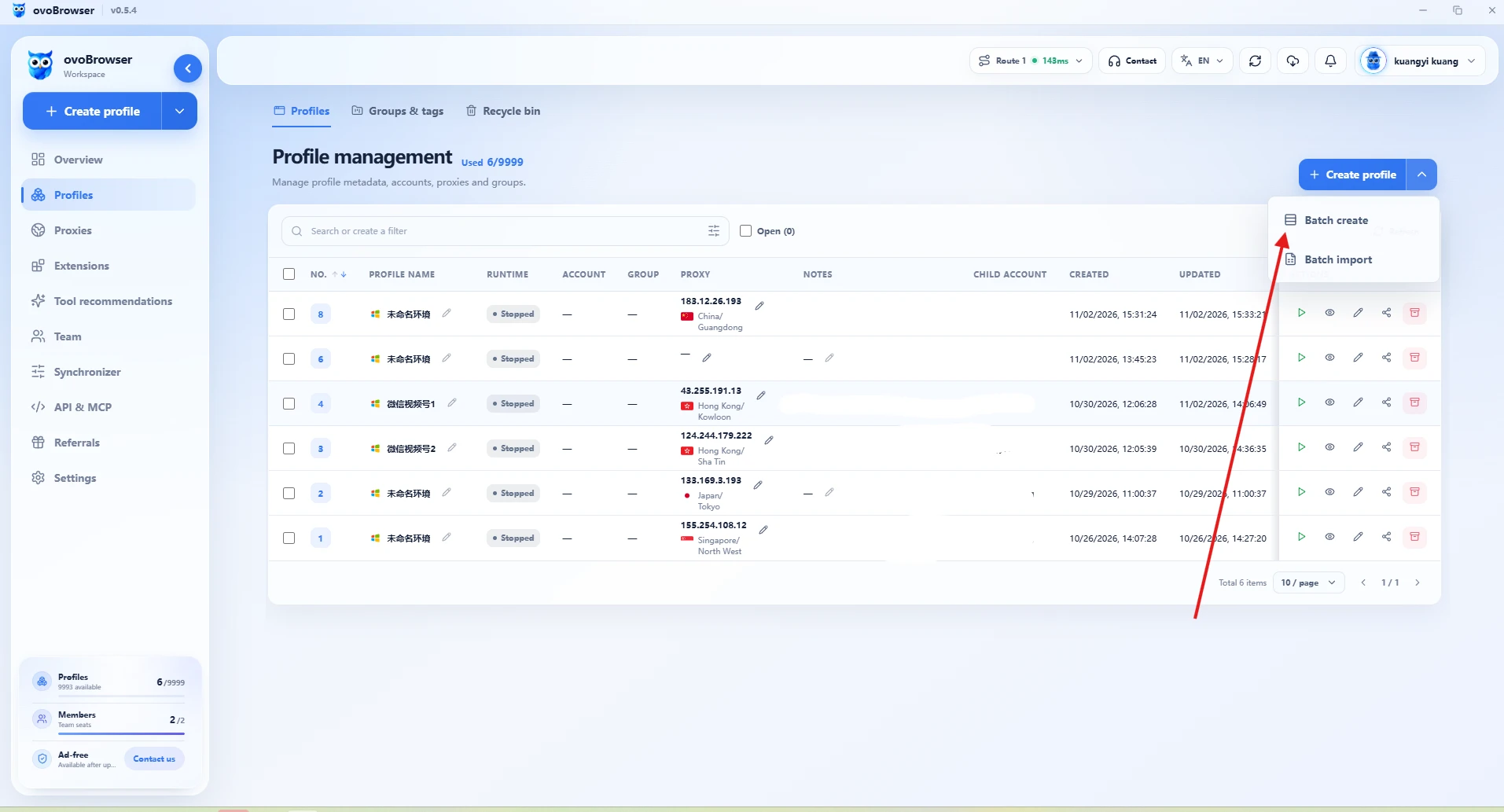
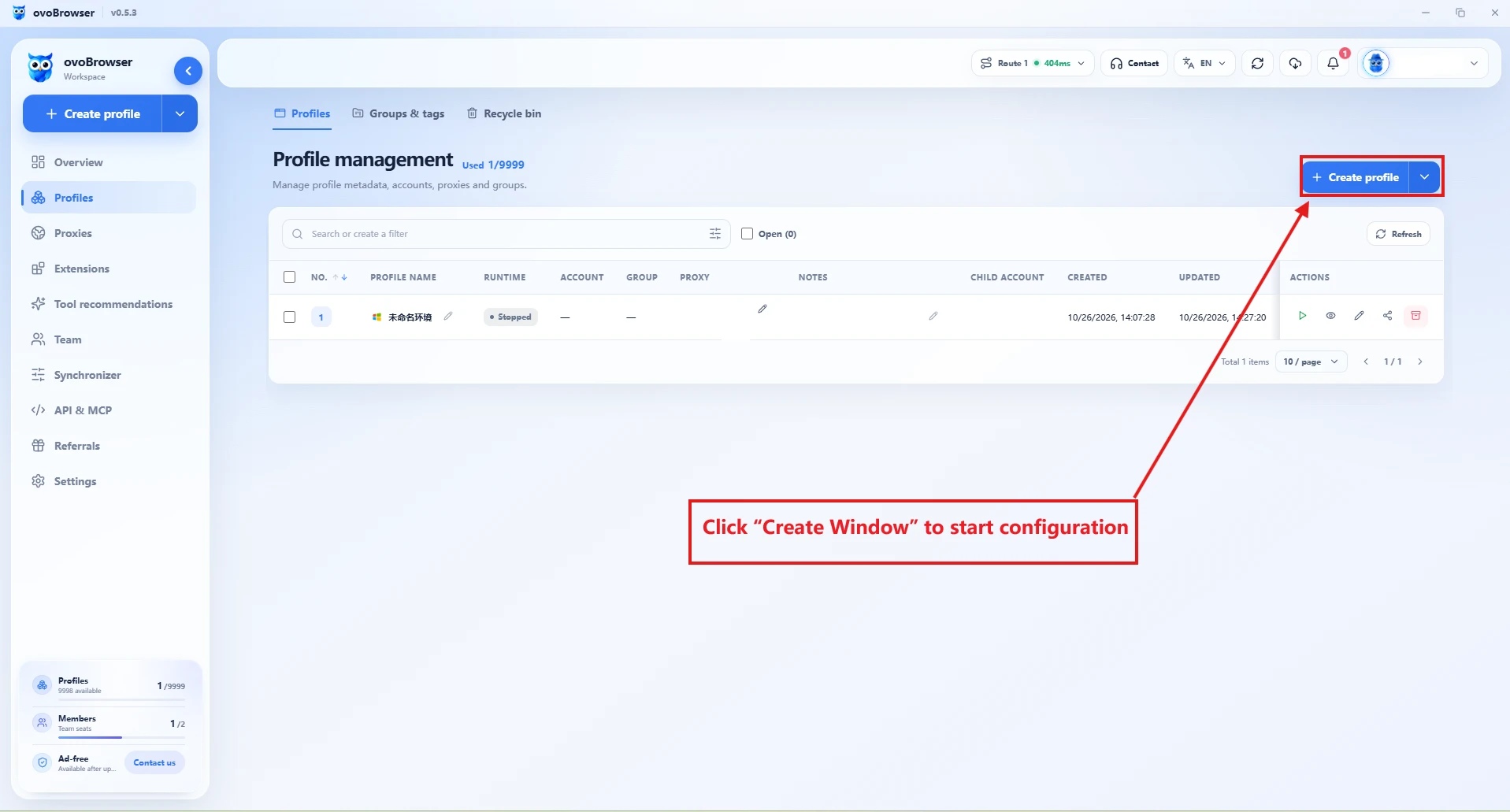
- Enter Environmental Management, click on New Environment, fill in the clear environment name and comments.
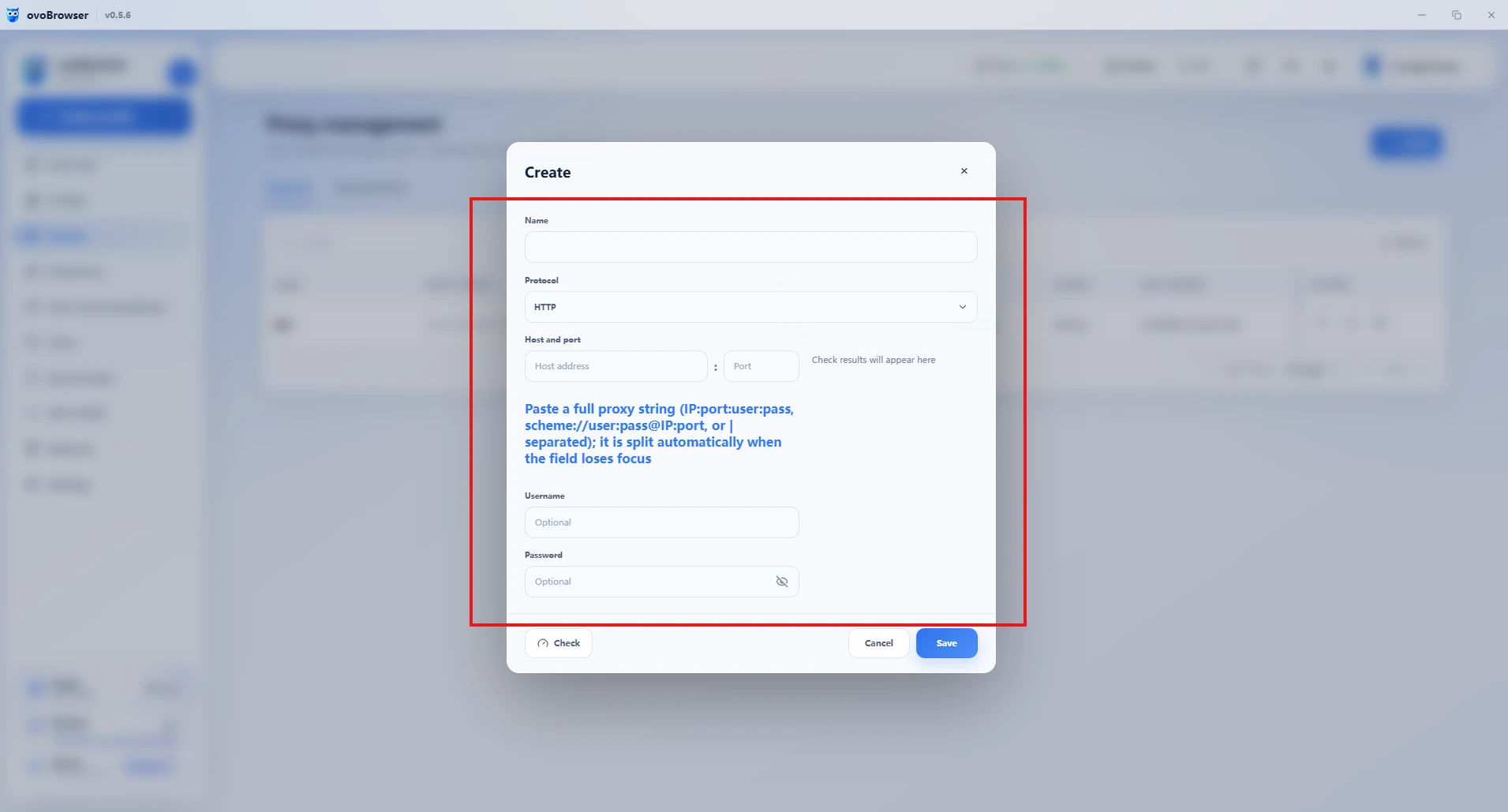
- If the business requires it, choose a proxy configuration that you have the right to use and complies with platform policies; Click on detect and verify the returned connection information. When there is no proxy requirement, there is no need to add an additional proxy just to make it look more secure.
- Maintain reasonable and stable default browser parameters; Do not forge device, location, or identity information at will to evade platform detection.
- Save and start the environment, and log in to my account on the official AI website. After completion, close the environment list normally to save session data according to product design.
After an increase in the number of accounts or projects
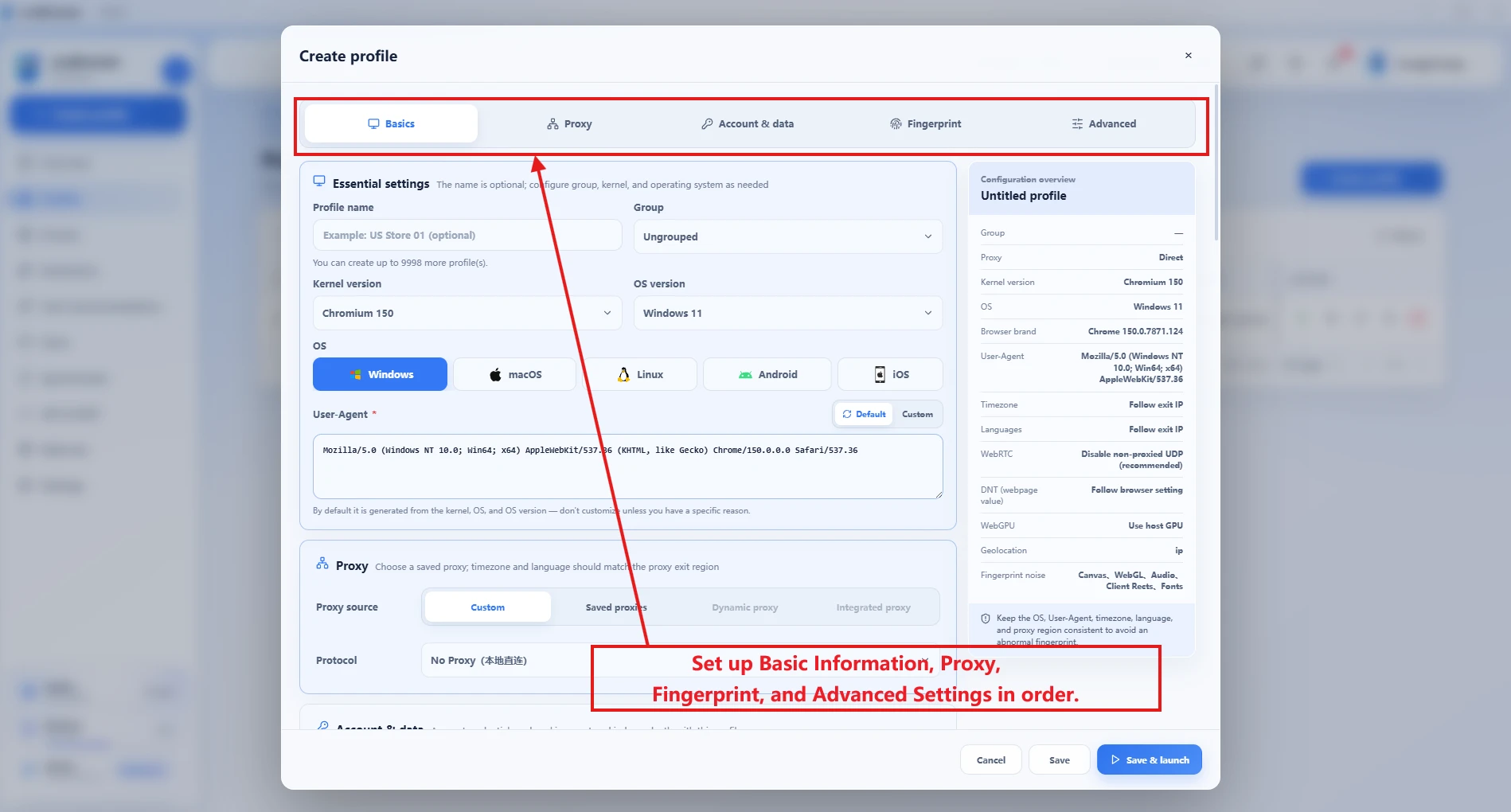
- Batch environment management: The official help documentation states that batch creation and table import are supported. First, check the import template and preview results before submitting the operation.
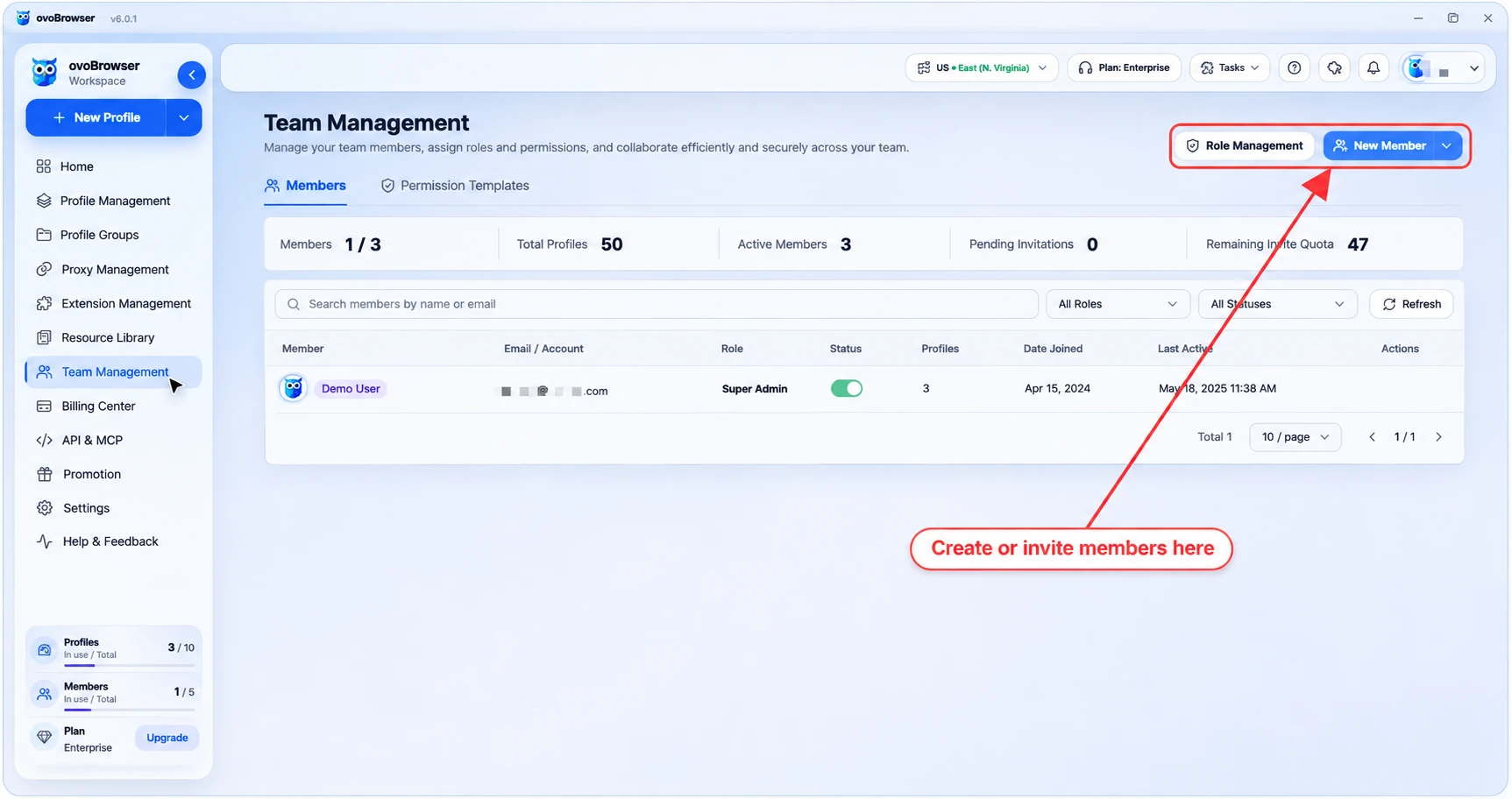
- Team permissions: Configure roles according to member responsibilities and grant only the necessary permissions to complete the work; Do not include payment card information, passwords, or 2FA keys in public comments.
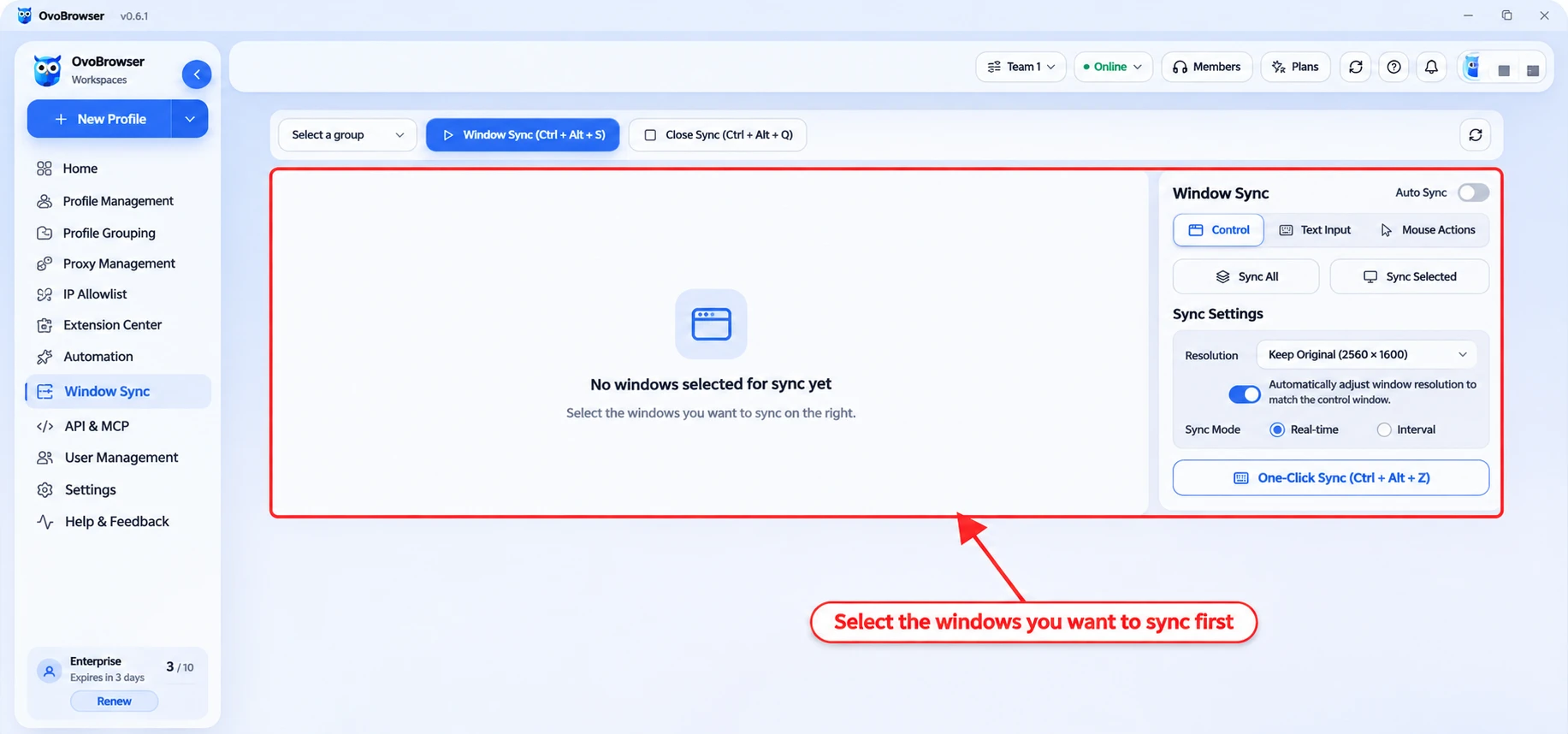
- Window synchronization: The mouse, keyboard, and scrolling operations of the main control window can be synchronized to the following window. Only used for authorized and platform compliant repetitive work, and to confirm the target window before execution.
- Local API: The environment can be managed through local APIs and connected to tools such as Playwright, Puppet, Selenium, etc. Automated tasks should comply with the target platform terms, access restrictions, and reasonable frequency, and important operations should be subject to manual review.
6、 Common problem troubleshooting
What should I do if the prompt indicates that the region is not supported?
Stop registration or payment attempts first and verify if your actual location is within the official support range of the service. Do not bypass platform policies through proxy switching, false information, or third-party accounts; If you confirm eligibility but still receive errors, follow the platform's official recommendations to clear the cache, test with a different browser, or contact support.
What if I can't receive the verification code?
Confirm that the verification method supported by the platform and the number that I can control are used, and check the country code, SMS interception, and operator status. Do not repeatedly purchase temporary numbers; If the platform clearly does not support this number type, official recognized methods or contact support should be used.
What should I do if the subscription payment fails?
Check the billing region, location of the issuing institution, billing information, card online/international transaction permissions, and balance. Do not repeatedly submit uncertain deductions; First check the bill status, then contact the issuing bank or platform support.
What should I do if my login status or cookie is lost?
Confirm whether the account was opened in the original ovobrowser environment, whether the browser was closed properly, and whether cookies were manually cleared. Do not send cookies or session files to others; They may be equivalent to login credentials.
7、 Checklist before registration and subscription
- The country or region where I am actually located complies with the official policies of the target platform.
- I use the email controlled by myself and the verification method required by the platform.
- I have read the package benefits, prices, currencies, taxes, and automatic renewal instructions.
- I completed the payment through the official platform page and confirmed the subscription status.
- I only organize my own or authorized work environment in ovobrowser and set appropriate access permissions.
8、 Conclusion
The most important thing when using AI services such as ChatGPT and Claude is not to search for so-called "universal registration skills", but to first confirm the official available scope, then use real information to complete registration, and manage subscriptions through the official billing portal. For individuals and teams who need to switch between multiple projects, ovobrowser can help organize browser environments, proxy configurations, batch operations, window synchronization, and team permissions, making daily work clearer.
Remember: Tools are responsible for organizing workflows, while account qualifications, regional policies, payment methods, and platform rules are still determined by AI service providers.
Official references/official sources of information
- AdsPower reference article (structure reference)
- ovo Browser official website
- ovo Browser beginner guide
- ovo Browser proxy management
- ovo Browser team management
- ovo Browser Window Sync
- OpenAI supported countries
- OpenAI phone verification
- OpenAI billing and payment methods
- Anthropic Supported Regions Policy
- Claude Pro sign-up and renewal
© ovobrowser · Product screenshots are linked to official ovo Browser sources. Provider eligibility and billing rules may change.
Related articles

2026 Facebook Page Growth Guide: Content Strategy, Daily Operations, and Multi Account Collaboration
For cross-border e-commerce, overseas brands, and social media operation teams, Facebook page growth is not simply about increasing the number of posts, but about continuously providing valuable original content, establishing clear brand positioning, responding to audiences in a timely manner, and adjusting content direction based on data. This article starts with homepage preparation, content planning, 30 day operation rhythm, team collaboration, and data review, and introduces how ovo Browser helps teams manage multiple authorized business environments more clearly.
Read article
How to choose ovo Browser, GoLogin, and AdsPower?
Free version, automation, comprehensive price comparison
Read article
2026 GitHub Open Source Crawler Project Recommendation
10 tools worth collecting, with ovo Browser automation integration guide attached
Read article