 Ovobrowser
Participate in promotion and benefit
The "Promotion Rewards" page contains two independent reward tracks: GitHub Star rewards and rewards for inviting real new users. The specific added profile, team member accounts or other quota depends on the real-time display on the client page.
Participate in promotion and benefit
The "Promotion Rewards" page contains two independent reward tracks: GitHub Star rewards and rewards for inviting real new users. The specific added profile, team member accounts or other quota depends on the real-time display on the client page.
1. Receive GitHub Star reward
The same GitHub account can only be claimed once. The process requires you to complete GitHub authorization and actively click on the warehouse Star. ovoBrowser will not execute Star on your behalf.
Step 1: Bind GitHub
Go to "Promotion Rewards";
Click "Bind account with GitHub authorization";
The system browser will open the GitHub authorization page;
Use the GitHub account to be bound to complete the authorization;
Return to the client and wait for the status to be refreshed automatically;
If it does not refresh automatically, click "I have authorized".
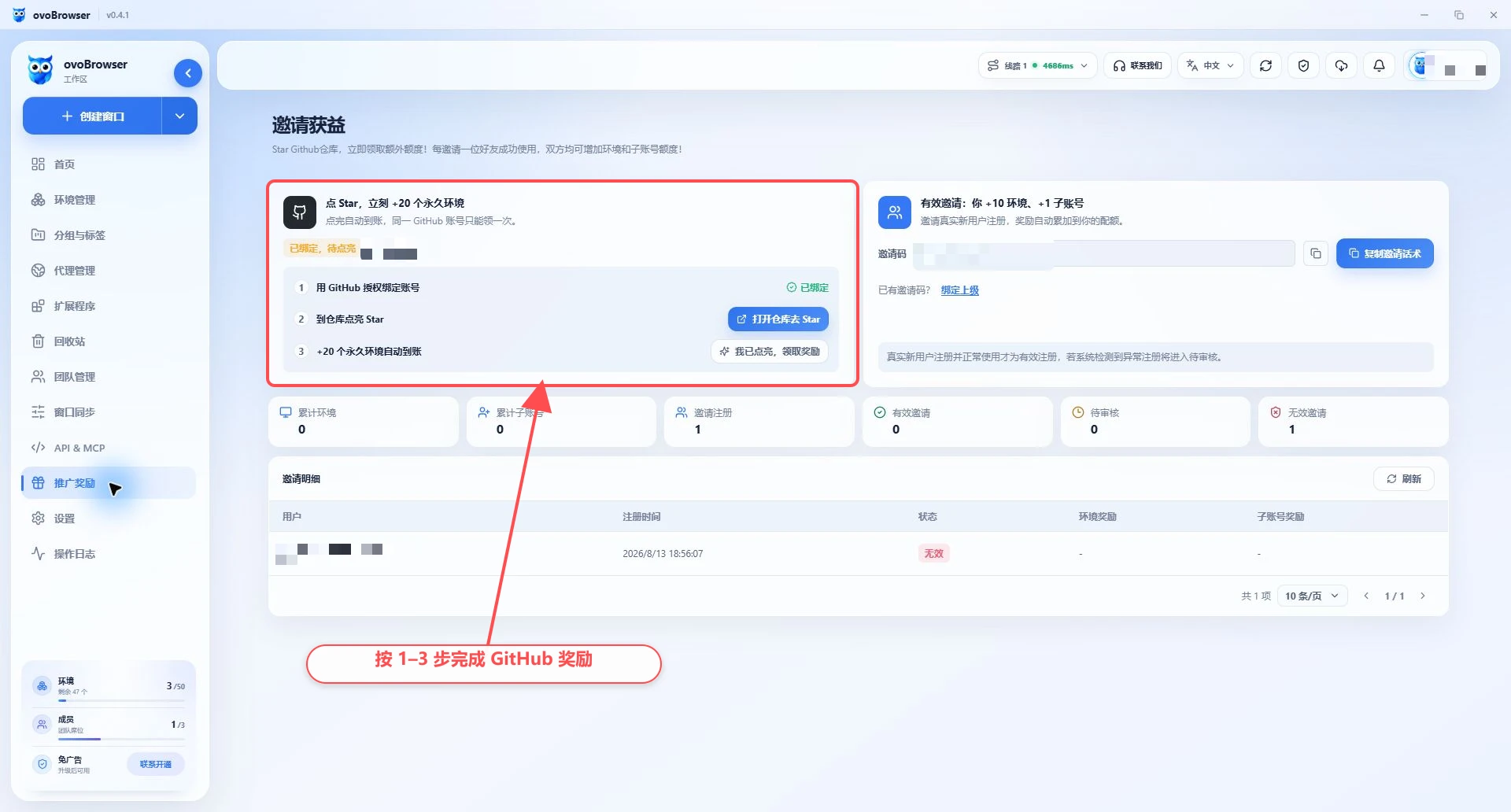
Step 2: Light up the warehouse Star
After the binding is successful, click "Open the warehouse and go to Star";
Click "Star" in the upper right corner of the GitHub warehouse page;
Return to ovoBrowser;
Click "I have lit up and receive the reward";
After the page displays "Lighted", the reward will be added to the amount according to the current rules.
If the GitHub page opened by the application displays 404, no permission or no Star button, do not click Star for other searched warehouses with the same name. Try again later from the in-app portal, and report back via "Contact Us" if it's still unavailable.
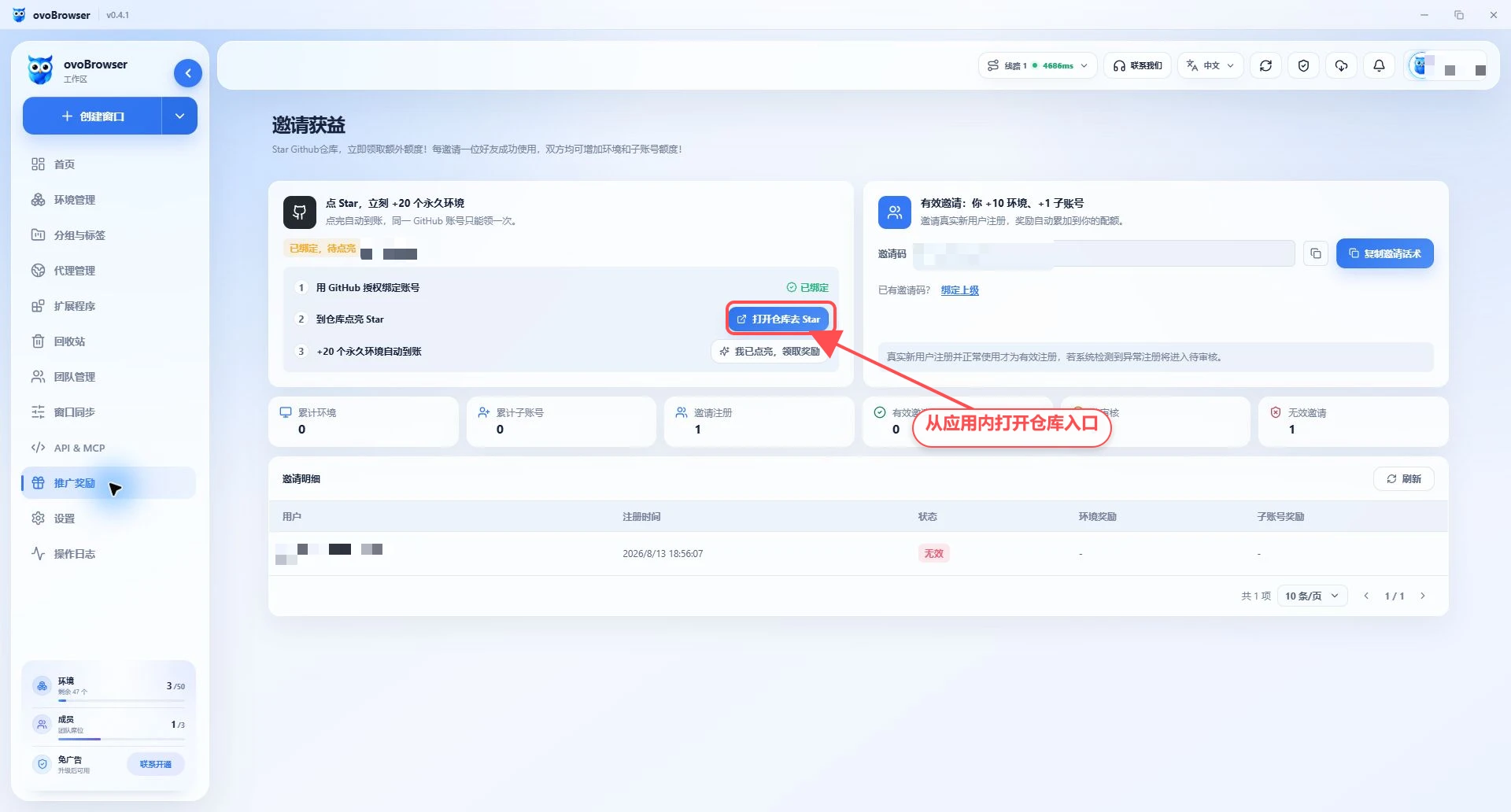
No authorization or star detected
Confirm that the same GitHub account you just authorized is logged in in the system browser;
Confirm that the warehouse button is in the Star state;
Wait a few seconds before clicking "I have authorized" or "I have lit";
Do not authorize repeatedly within a short period of time;
If the GitHub authorization is canceled, reinitiate the process.
2. Use invitation code to invite new users
Share invitation code
Copy the invitation code on the right side of "Promotion Rewards", or click "Copy Invitation Technique";
Send the invitation code or invitation link to new users who really need to use ovoBrowser;
The other party fills in the invitation code when registering;
The system will determine whether the invitation is valid based on actual registration and normal usage;
Once valid, the rewards will automatically accumulate to the amount of both parties.
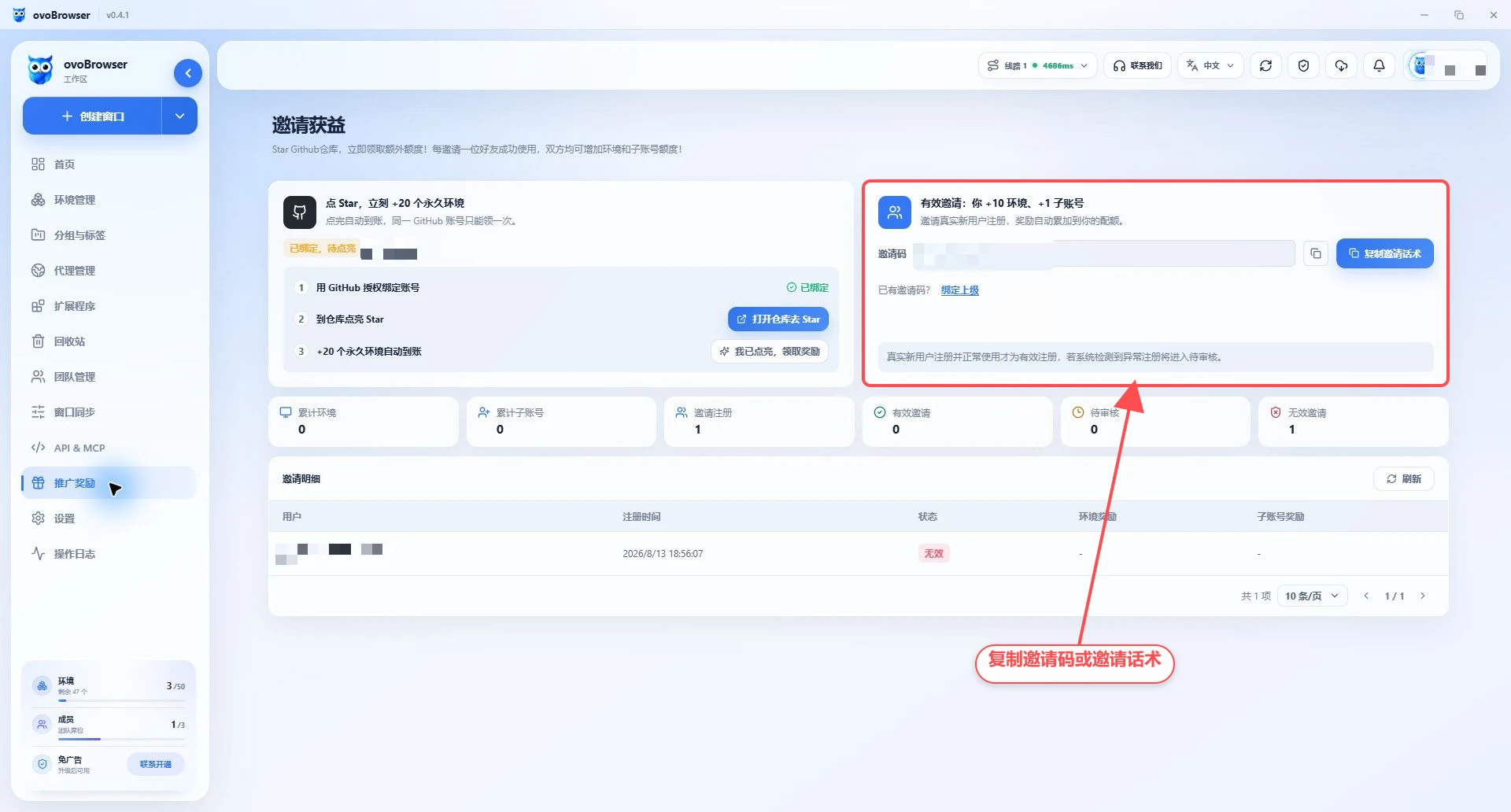
Bind superior invitation code
If your account also allows binding to a superior, you can enter the invitation code in the "Already have an invitation code?" area and click "Bind". Please check before submitting. The binding relationship is usually used for subsequent reward settlement and should not be filled in casually.
View invitation details
"Invitation Details" will display the invited users, registration time, status, profile rewards and team member accounts rewards. Status includes:
Valid: complies with the current event rules, and the rewards have been settled according to the rules;
Under review: The system is determining the validity of the invitation;
Invalid: Rules such as real new users or normal use are not met.
3. How to settle the two reward tracks
GitHub Star and invitation rewards are independent of each other:
Star rewards are determined based on GitHub binding and warehouse Star status;
Invitation rewards are judged based on new user registration and subsequent validity;
All reward quantities, upper limits and validity conditions depend on the real-time rules of the page.
4. Compliance instructions
Do not buy, exchange or create fake accounts in bulk;
Do not use multiple accounts controlled by the same person to receive duplicate accounts;
Do not induce others to provide the GitHub password or verification code;
GitHub authorization should be completed by the account owner in the system browser;
Abnormal registrations may be reviewed or determined to be invalid;
If you have any questions about the review results, please provide the invitation recording time and account information through "Contact Us".