 Ovobrowser
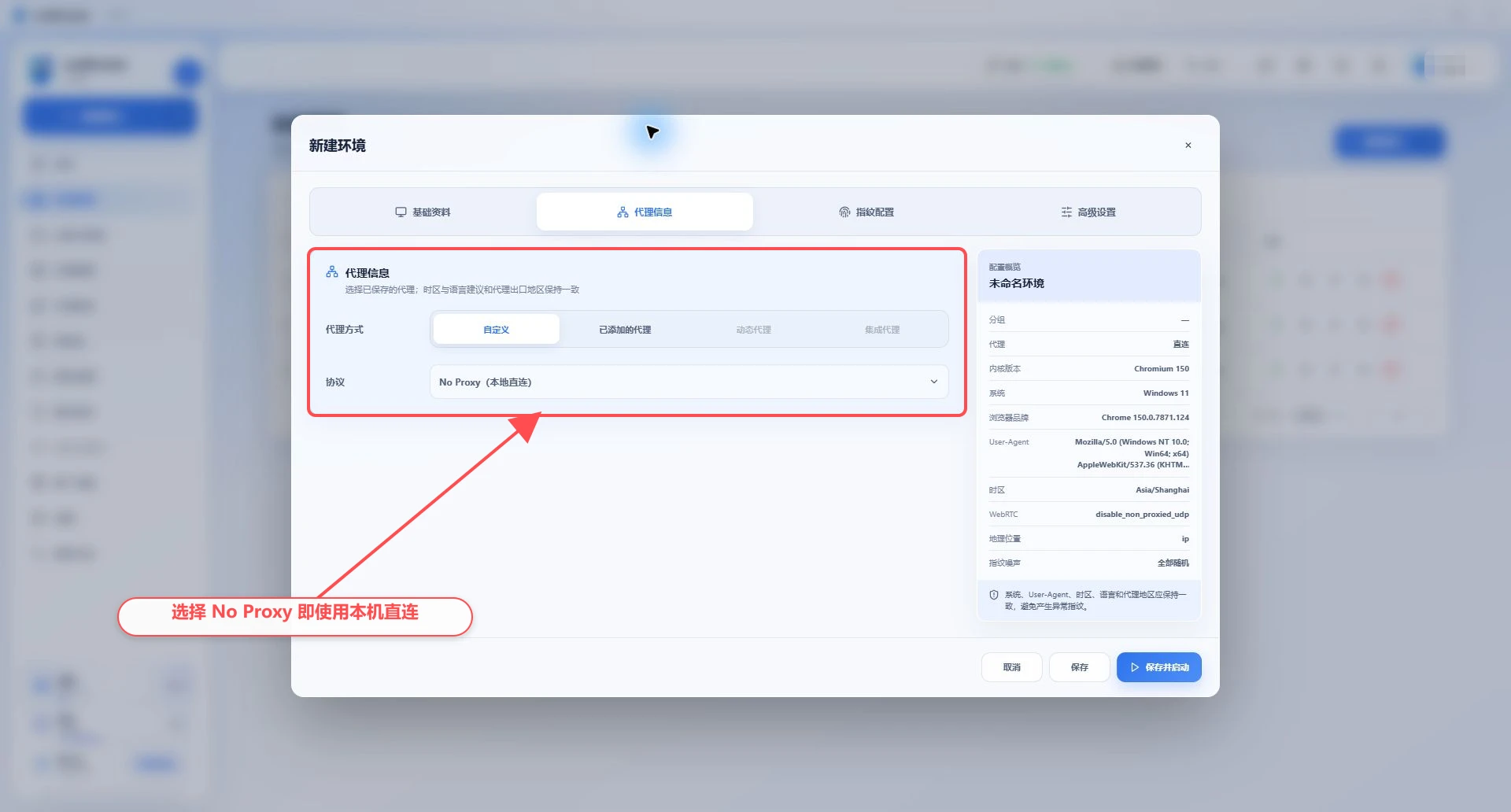
Configure direct connection
"Direct connection" means that no independent upstream proxy is specified for the current profile. The profile will use the network exits actually available on the current computer.
Configure direct connection
"Direct connection" means that no independent upstream proxy is specified for the current profile. The profile will use the network exits actually available on the current computer.
Direct connection does not necessarily mean bypassing the system proxy
If Windows is configured with a system proxy, PAC, or runs local network tools such as VPN, Clash, V2Ray, etc., the actual traffic of the direct connection profile may still be exported through these tools. When judging the actual internet connection, the client network test and the IP query results in the browser shall prevail.
Configure direct connection profile
Go to "Profile Management";
Create or edit a profile;
Open "Proxy settings";
Leave the proxy unselected, and the page will display "Currently using direct connection";
Save and start the profile;
Visit the IP lookup website in your browser to confirm the actual exit.
Test local and system networks
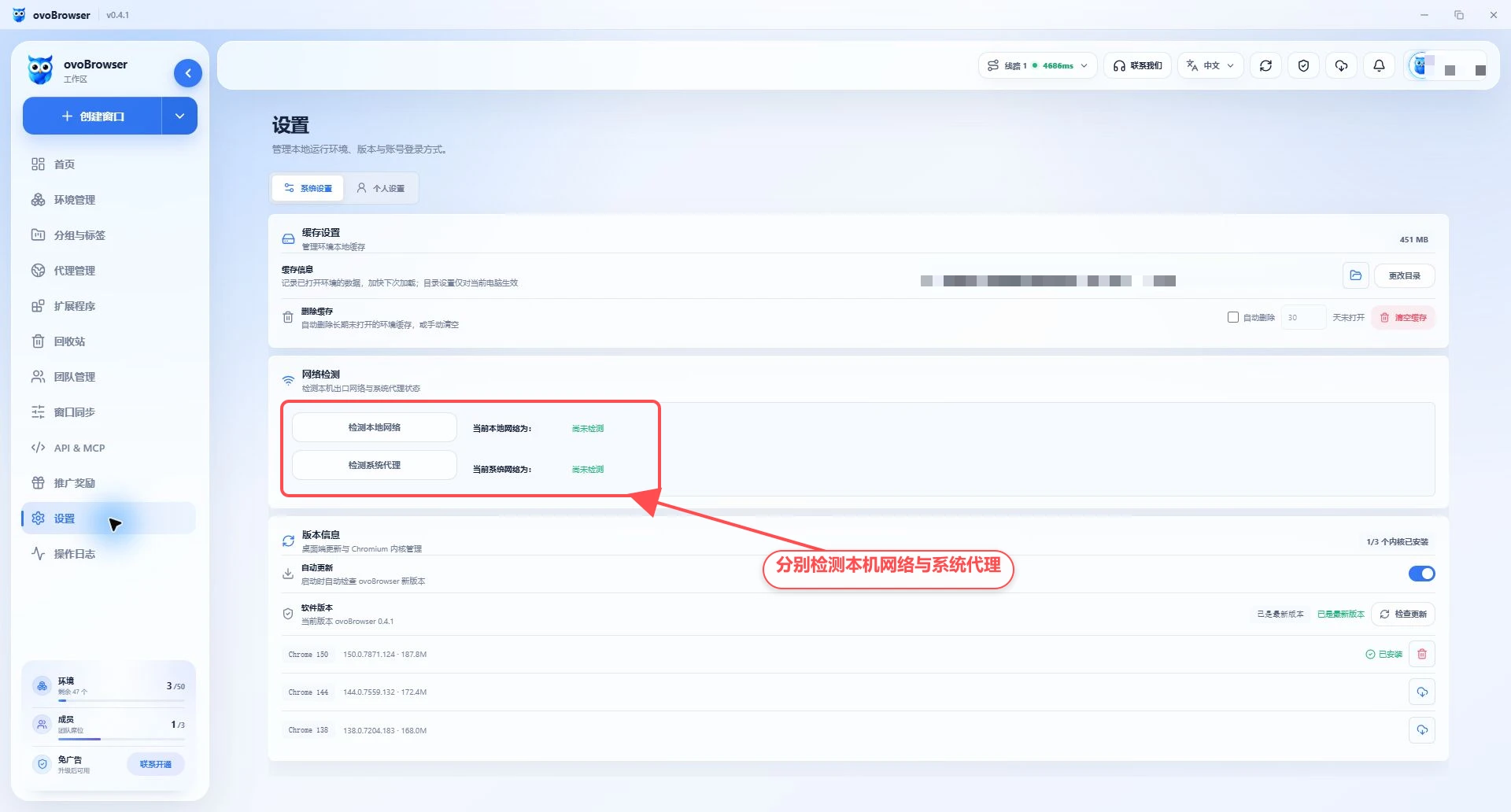
Go to "Settings > System Settings > Network Test";
Click "Test local network" to view direct exports that do not go through the system proxy;
Click "Test System Proxy" to view the system proxy link export;
Compare the two results;
After starting the direct connection profile, verify in the browser again.
The picture below shows the real state before test is performed. After clicking the two buttons respectively, compare the export results returned by the page.
Direct connection restrictions
Multiple direct-connect profiles on the same computer usually share public IPs;
It is impossible to rely on profile isolation to generate different network exits;
Changes to the local network will affect the entire directly connected profile;
System proxy or VPN changes may change the exit of the direct connection profile;
Some target sites may restrict data center, home broadband, or export to specific regions.
When different public IPs are required, different proxies should be assigned to different profiles.
When is direct connection appropriate?
Test whether the client and kernel can start normally;
Access websites that do not require a separate region or public IP;
Access internal services within a trusted intranet;
When troubleshooting, compare the results of "direct connection successful, proxy failure" or the opposite.
FAQ
Direct connection profile shows overseas IP
The computer may have system proxy, PAC or VPN enabled. Go to "Settings > Network Test" to check the system proxy exit, and view the Windows network settings and local network tools.
Can different direct-connect profiles be isolated from each other Cookie?
Cookie, cache, and browser fingerprints are isolated by profile; but the public IP usually remains the same. Browser data isolation and network egress isolation are two different things.
Can direct connection test proxy?
Direct connections have no independent proxy credentials to test. The actual exit can be viewed through "Test local network" and "Test system proxy".
After turning off the system proxy, the profile is still the old IP
Close and reopen the profile and test again. If the local network tool is still running or the Windows proxy settings have not been cleared, the exit may not change.