 Ovobrowser
Use the Proxy Setup Overview
This page helps you choose direct connection or proxy and set up a complete process from purchasing information to profile validation. ovoBrowser itself does not automatically provide public network proxies; the services in "Proxy recommendations" are provided by third parties.
Use the Proxy Setup Overview
This page helps you choose direct connection or proxy and set up a complete process from purchasing information to profile validation. ovoBrowser itself does not automatically provide public network proxies; the services in "Proxy recommendations" are provided by third parties.
1. First choose the network method
direct connection
Do not configure a separate proxy for the profile and use the actual internet connection of the current computer. If Windows has a system proxy or local network tool enabled, the actual exit may go through the system proxy.
Suitable for: temporary testing and scenarios where there is no need to distinguish public IP addresses.
Not suitable for: scenarios where multiple profiles must have different public IPs.
Detailed description: Configuring direct connection proxy
HTTP, HTTPS, SOCKS5 proxy
Configure the nodes provided by the proxy provider for the profile. Supports host, port and optional username and password authentication.
Suitable for: Scenarios that require fixed or independent egress IP, regional matching and multi-profile network isolation.
Detailed description: Configuring HTTP, HTTPS, SOCKS5 proxies
2. Standard configuration process
Obtain the protocol, host, port and authentication method from the compliance proxy provider;
Go to "Proxy Management" to create a new proxy;
Fill in complete information;
Click to test;
Check exit IP, region and latency;
save proxy;
Create or edit a profile;
Select the proxy from "Saved proxies";
Click "Check Network" again in the profile;
Save and start the profile;
Visit the IP query website such as https://ipcheak.com/ in the browser for final confirmation.
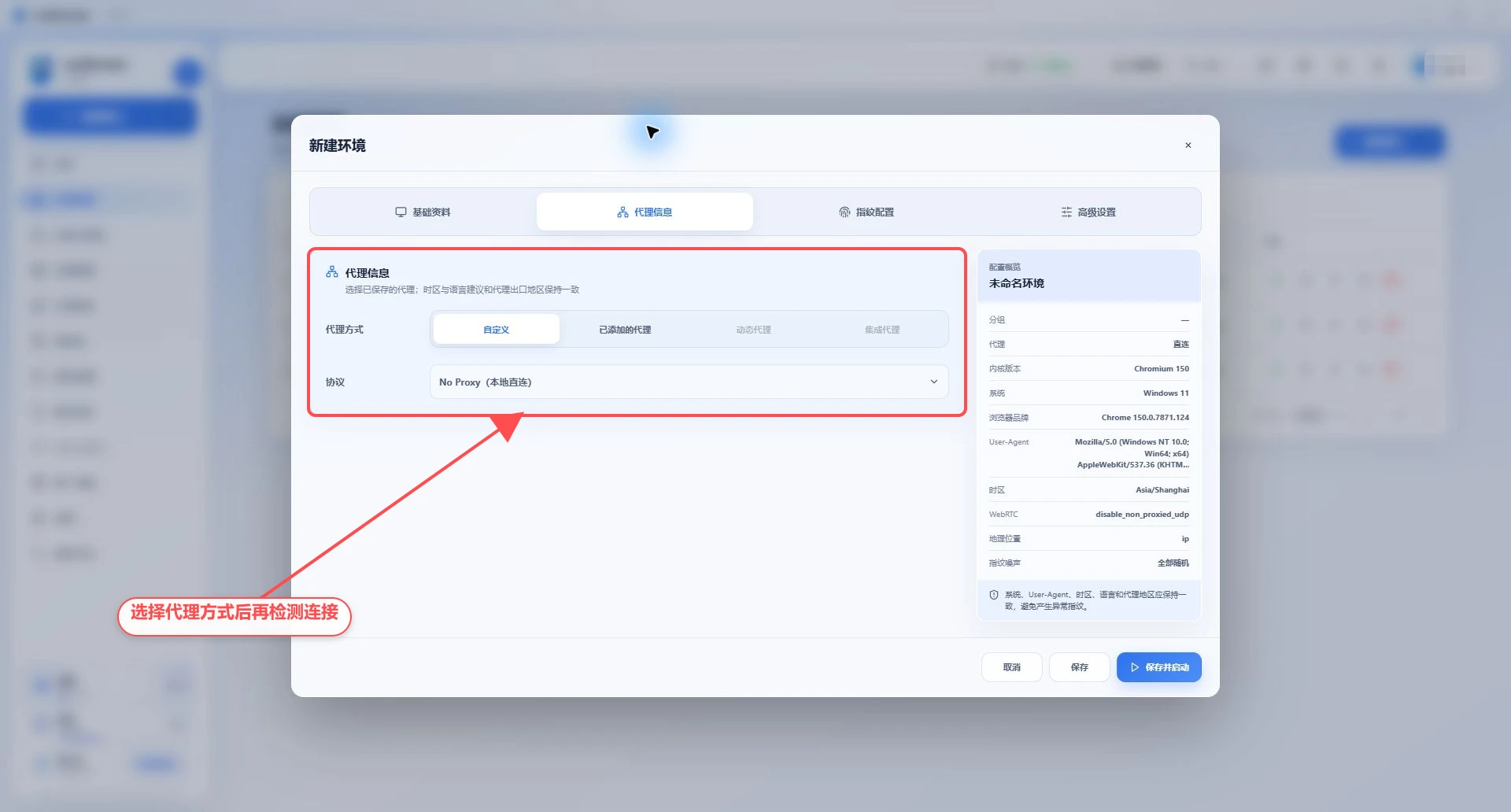
The following figure shows the proxy mode entry in the profile. Currently, No Proxy(本地直连) is retained; after saving the proxy, you can switch to "Saved proxies" and continue test.
3. Keep the network and fingerprint consistent
Once the proxy configuration is complete, the following fields in the profile should match the exit region:
time zone;
Browser language and
Accept-Language;geographical location;
Operating system with User-Agent;
The locale required by the target business.
It is recommended to use automatch or default values. Simply modifying the proxy but retaining apparently conflicting time zones, languages, and geographies creates inconsistent profile settings.
4. Certification method
Username and password
Fill in the username and password in the proxy form. Pay attention to distinguishing the proxy account and the target website account.
IP whitelist
When the proxy provider releases traffic based on the source public IP, a username and password are usually not required. Add the actual exit IP of the current computer to the service provider's whitelist. If the computer uses a system proxy, the exit IP displayed by the system proxy link should be added.
dynamic proxy
The current page can save the HTTP, HTTPS or SOCKS5 access address given by the service provider. How to rotate the proxy IP is decided by the service provider; if the dedicated entrance for "Dynamic Proxy" and "Integrated Proxy" is marked on the page as being under development, you should not assume that it is available according to other product tutorials.
5. How system proxies affect connections
When the Windows system proxy, PAC, VPN or local proxy tool is enabled on the computer, ovoBrowser may:
Let the direct connection profile use the actual exit of the system proxy;
First connect to the upstream profile proxy through the system proxy;
When the system proxy fails, try to connect directly to the upstream proxy;
The test results show whether the system proxy actually passed through.
Therefore, "the profile is not configured with a proxy" does not necessarily mean direct connection to the public network. It should be based on "Settings > Network Test" and the actual egress IP in the profile.
6. Security and Compliance
Only use proxies you are authorized to use;
Please comply with the target website, proxy provider and local laws and regulations;
Do not write the proxy password into the profile name or remarks;
Do not expose the complete proxy URL in screenshots and logs;
Third-party Proxy recommendations does not represent a guarantee of service quality;
Regularly check the proxy validity period, traffic volume and exit region.
7. Problem Navigation
Not sure how to fill in the fields: Read Configuring HTTP, HTTPS, SOCKS5 proxies;
Not using a proxy: Read Configuring direct connection;
Test failed: Reading Proxy Test Failures;
Centralized storage and distribution are required: Read Proxy Management Guide;
The test is successful but the website cannot be opened: first check the target website restrictions and proxy provider policies.