 Ovobrowser
Group Management Guide
"Group and Label" is used to organize the profile by business, customer, region or person in charge. group only changes how the profile is organized and does not automatically modify proxies, browser fingerprints, or permissions.
Group Management Guide
"Group and Label" is used to organize the profile by business, customer, region or person in charge. group only changes how the profile is organized and does not automatically modify proxies, browser fingerprints, or permissions.
Create group
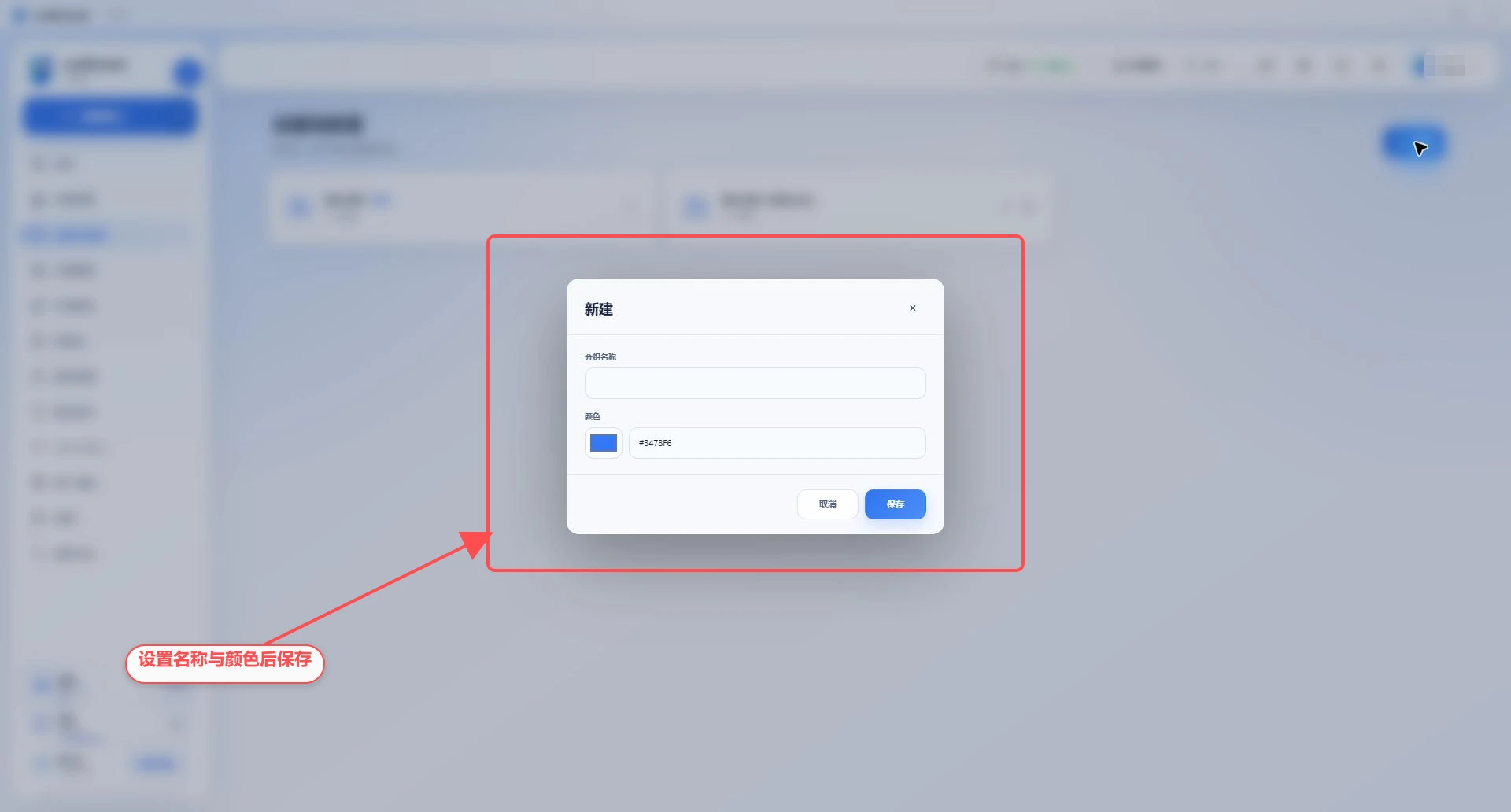
Go to "Groups & Tags";
Click "New" in the upper right corner;
Enter a group name, no longer than 50 characters;
Select the logo color through the color selector, or fill in the six-digit hexadecimal color, such as
#3478F6;Click "Save".
View groups
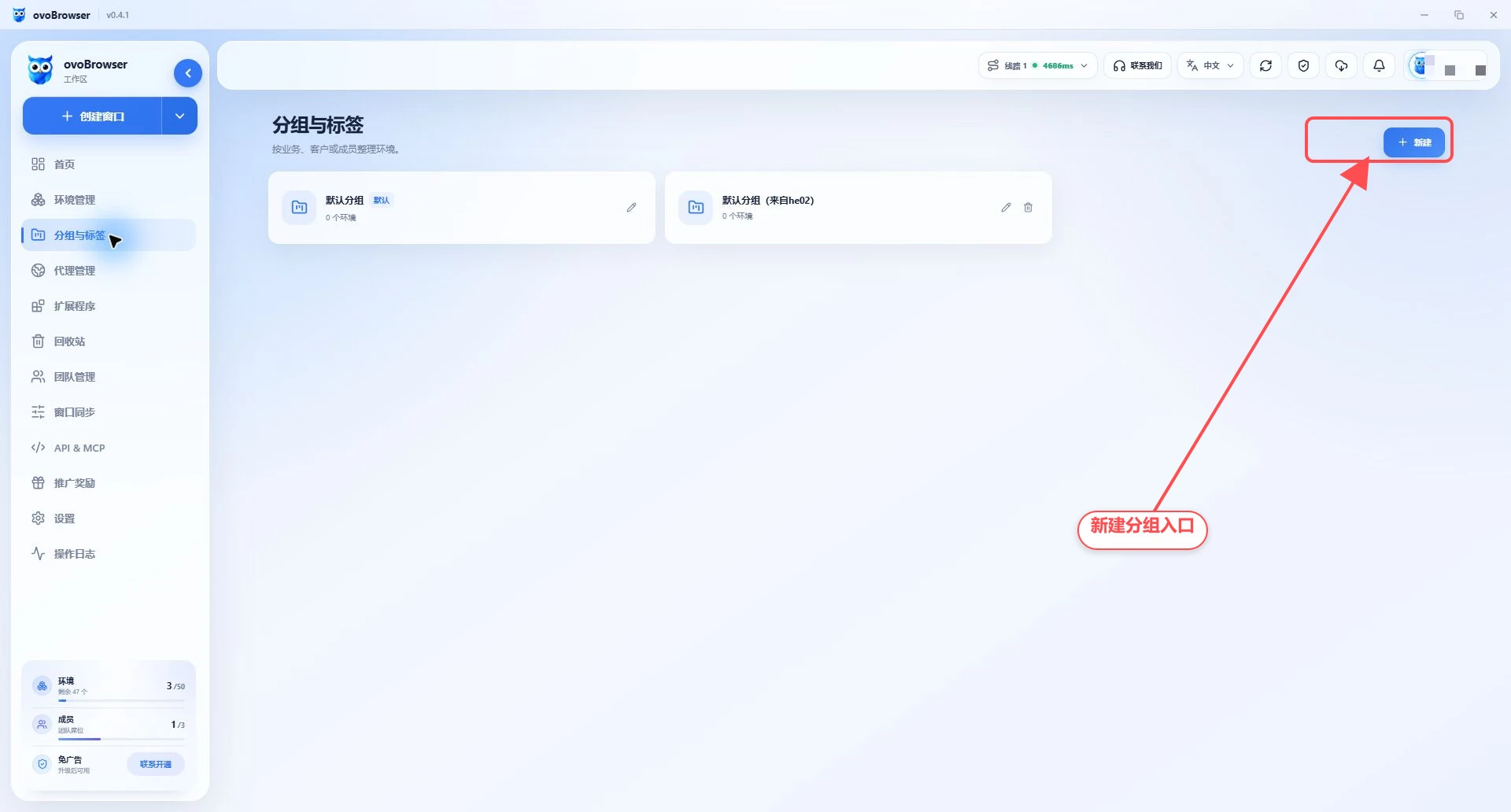
Each grouped card will display:
Group name;
Logo color;
Whether it is the default group;
The number of profiles currently included;
Edit and delete operations.
Modify group
Click the edit button on the group card;
Modify name or color;
Click "Save".
Changing the group name will not change the profile within the group. After team member resources are transferred, the default group from the member may be displayed as "Default Group (from member name)" to distinguish the source.
Put profiles into groups
Set when creating or editing a profile
Select the group in the "Basic Data" of the profile and save it.
Set during batch import
Fill in the existing group name or ID in the "Group" column of the imported template. When no matching group is found, the row will not fail but will be treated as ungrouped; therefore, the group names should be unified before importing.
Filter group profile
Return to "Profile Management" and select a group in the filter conditions to view only the profile of that group.
Delete group
Confirmation group is no longer needed;
Click the delete button on the group card;
Confirm again in the confirmation box.
The system default group cannot be deleted, so the delete button will not be displayed on the default group card. If the common group is still used by the profile, follow the page prompts to adjust the profile group first and then delete it.
Recommended group method
Choose only one primary dimension to avoid using multiple sets of rules at the same time:
By customer: Customer A, Customer B;
By project: independent website, advertising, customer service;
By region: United States, United Kingdom, Southeast Asia;
According to the person in charge: Zhang San, Li Si;
By status: to be configured, in use, suspended.
It is recommended to use a unified name, such as 地区-项目-负责人, and use similar colors for similar services.
FAQ
Group name prompt already exists
Group names need to remain identifiable within the current workspace. Change a name, or edit an existing group.
Will deleting the group delete the profile?
Do not treat group deletion as profile deletion. group is an organizational method, and profile deletion needs to be performed separately in "Profile Management". If the system prevents deletion because the group is in use, first move the profile to another group.
Team members cannot see group management
Ask the team owner to check whether the member role has the group menu and corresponding operation permissions.