 Ovobrowser
Proxy Management Guide
"Proxy Management" is used to centrally save HTTP, HTTPS and SOCKS5 proxies. After successful test, it can be reused in the profile to avoid repeated input for each profile.
Proxy Management Guide
"Proxy Management" is used to centrally save HTTP, HTTPS and SOCKS5 proxies. After successful test, it can be reused in the profile to avoid repeated input for each profile.
1. What does the proxy list include?
The proxy list shows:
Proxy name;
proxy URL;
Detected egress IP and location;
Available, unavailable or undetected status;
delay;
Last test time;
Test, edit and delete operations.
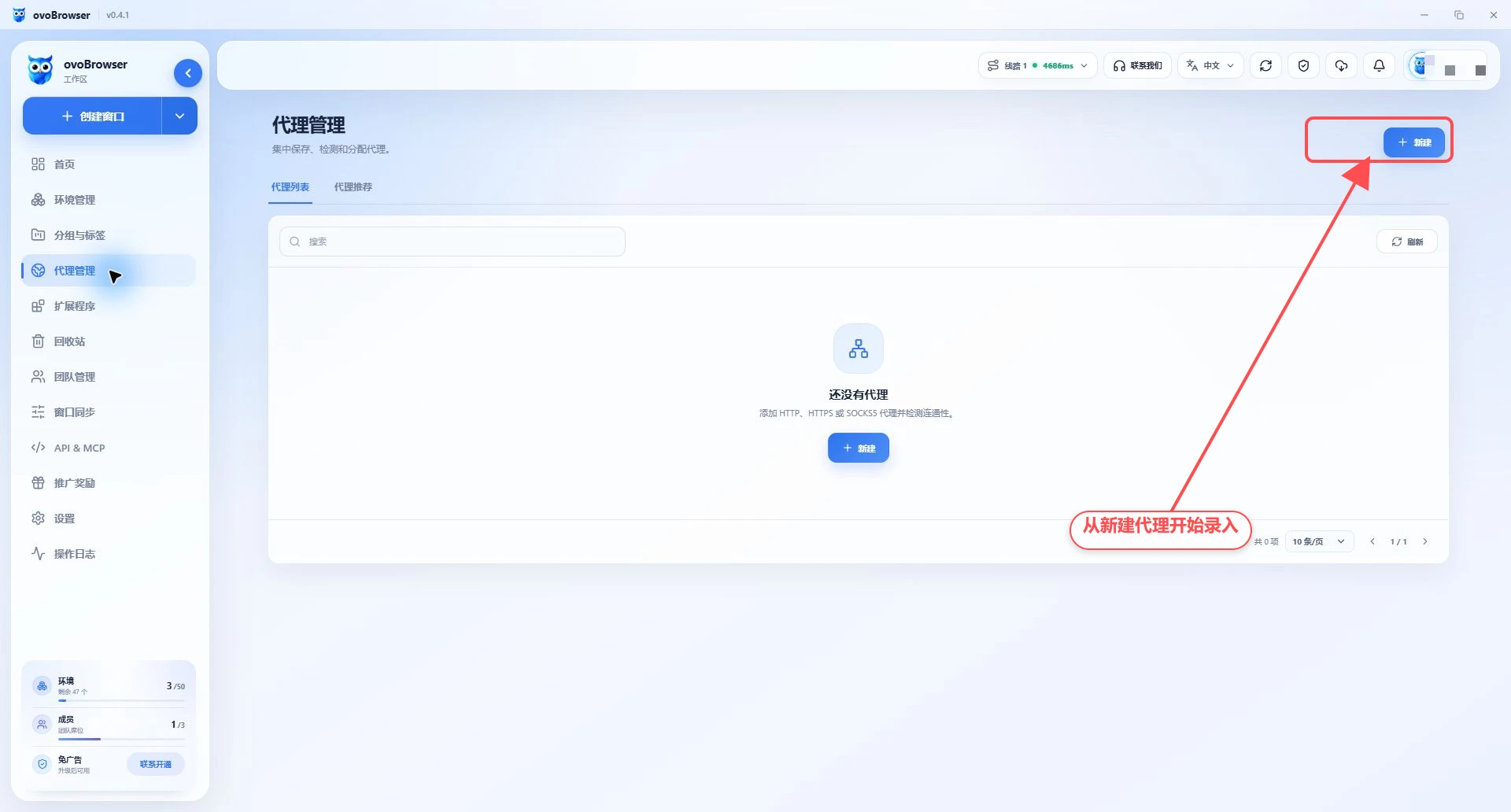
The page supports name search, refresh and paging.
The account used for these screenshots has not saved a proxy, so the list is empty. The above fields and action buttons will not appear until you add a proxy.
2. Add proxy
Go to "Proxy Management > Proxy List";
Click "New";
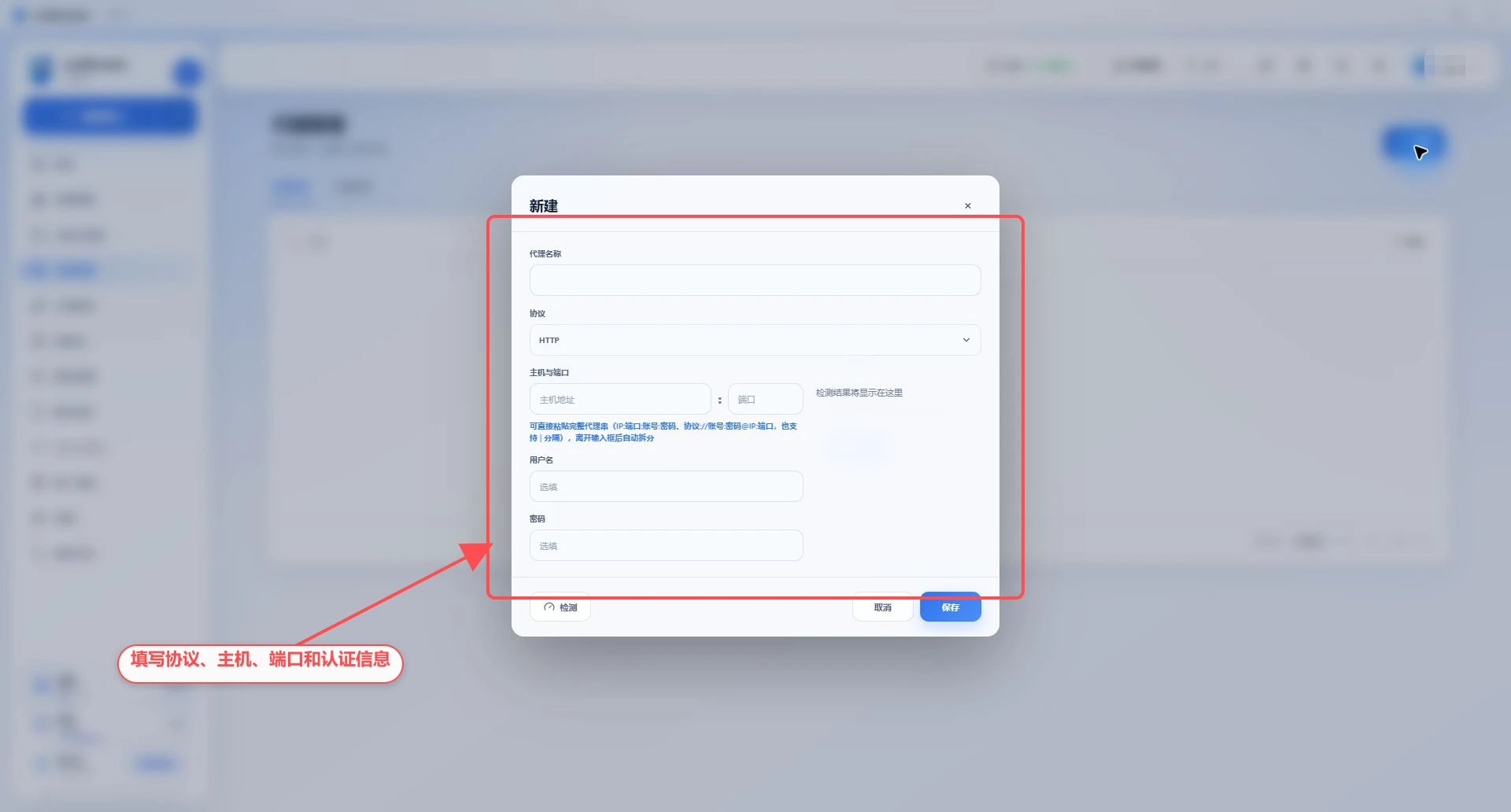
Enter a proxy name, up to 80 characters;
Select proxy protocol: HTTP, HTTPS or SOCKS5;
Fill in the host and port, the port range is 1–65535;
When the proxy requires authentication, fill in the user name and password;
Click "Test";
Check exit IP and region;
Click "Save".
3. Paste the complete proxy URL
You can paste the complete proxy URL into the "Host" input box, and it will be automatically split after leaving the input box or pressing Enter. Support:
主机:端口
主机:端口:用户名:密码
主机|端口|用户名|密码
http://用户名:密码@主机:端口
https://用户名:密码@主机:端口
socks5://用户名:密码@主机:端口
If there is no protocol prefix, it will be parsed according to HTTP by default. The password can contain colons; when using the 用户名:密码@主机:端口 format, it is separated by the last @ as the server part.
IPv6 proxy addresses are currently not suitable for using the above automatic splitting format. It is recommended to refer to the actual verification results on the page.
4. Understanding the test results
If the test is successful, it will display:
Exit IP;
Country or region, state or province, city;
Longitude, latitude and zip code (when provided by the IP lookup providers);
delay;
Actual IP lookup providers;
Actual connection method, such as HTTP CONNECT, HTTPS TLS or SOCKS5;
Whether it is forwarded through the local system proxy.
The client will give priority to using the selected IP query channel; if it fails, it may poll other channels, so the final result depends on the test panel.
5. Edit a proxy
Click the edit button of the proxy row;
Modify protocol, host, port or authentication information;
Click "Test" to re-verify;
Click "Save".
Passwords are loaded from secure storage when editing. When leaving it blank, follow the page prompts. Do not mistake the asterisk placeholder for the actual password. After a proxy change, the running profile needs to be shut down and reopened.
6. Assign to a profile
Go to "Profile Management";
Create or edit a profile;
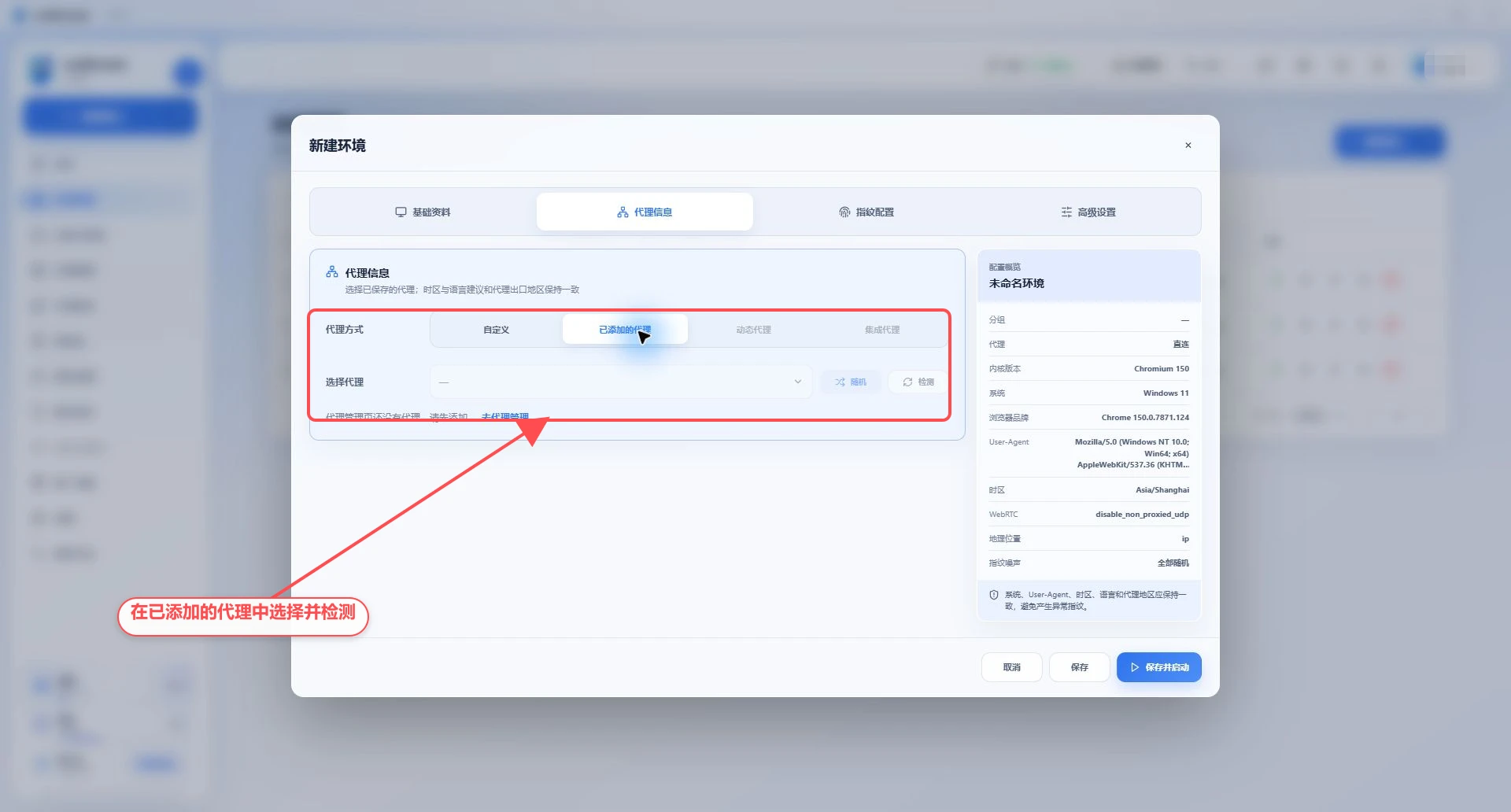
Open "Proxy settings";
Select "Saved proxy";
Select a proxy from the list, or click "Random";
Click "Check Network";
Save profile.
Proxies in the Proxy Management page can be reused in multiple profiles. When different public IP addresses are needed, do not assign the same proxy to multiple profiles.
If there is no proxy in Proxy Management, the "Saved proxy" selection box will be empty. Complete the second section of this tutorial first, then return to the profile to select and test it.
7. Delete proxy
Click the Delete button of the proxy row and confirm. If the proxy is being referenced by the profile, the page may prevent deletion or require the profile to be adjusted first. Relevant profiles should be searched and modified before deletion to avoid launch failure next time.
8. Proxy recommendations
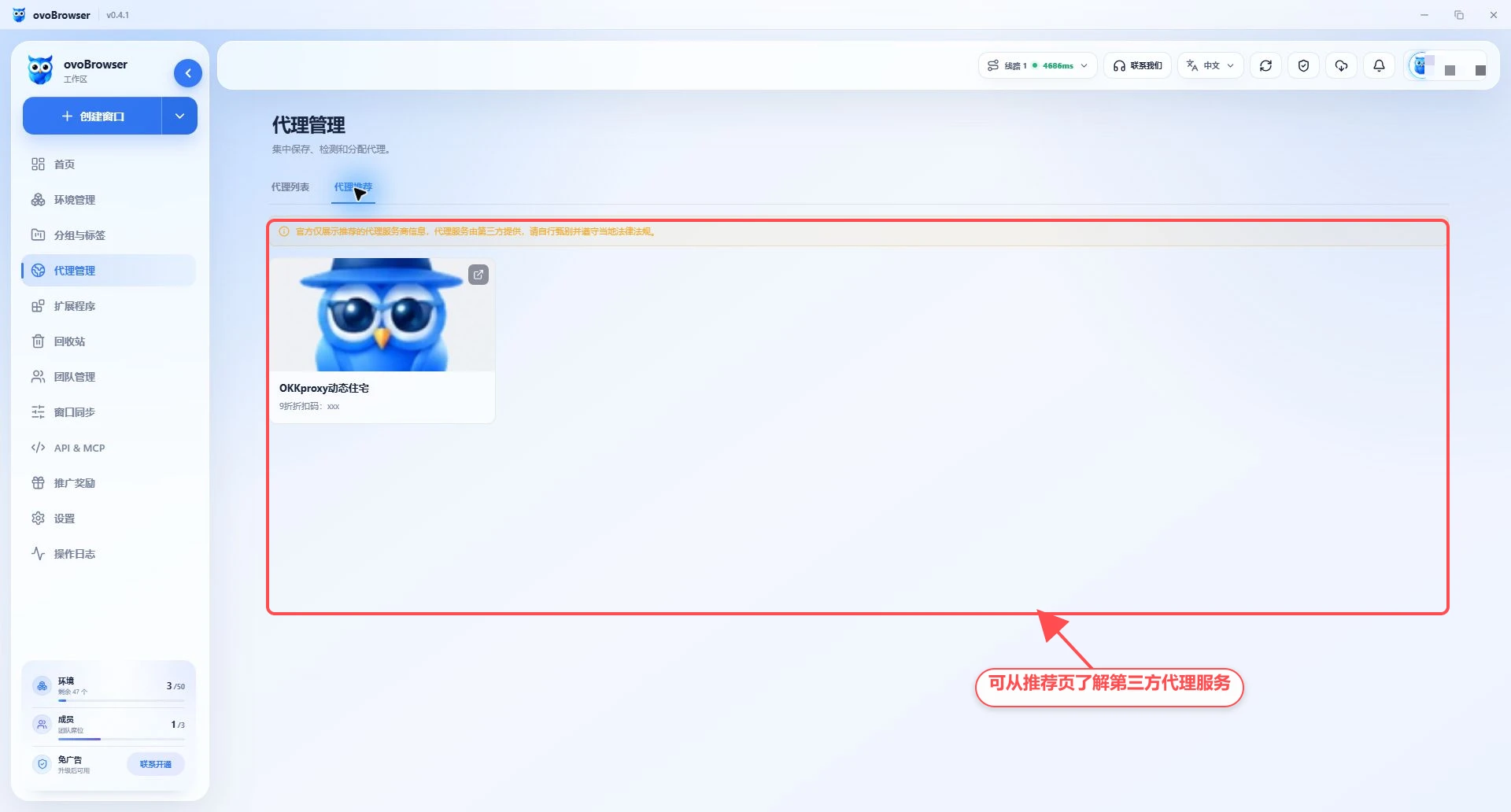
The "Proxy recommendations" tab displays third-party proxy providers. ovoBrowser only displays cooperation information, and the proxy service is provided by a third party. Please check the service area, agreement, concurrency, traffic, validity period, refund rules and compliance requirements before purchasing.
9. Suggestions for use
Use a recognizable name for the proxy, such as
US-Residential-001;After purchase, test first before allocating the profile;
Regularly retest long-term proxies;
Record the proxy expiration time, but do not write the password in the notes;
If the test region is inconsistent with the purchasing region, disable it first;
Do not expose the full proxy string in tickets or screenshots.
10. Frequently Asked Questions
The status is always Undetected
Click the Test button. The newly created proxy can also be saved first, but a test should be completed before official use.
After deletion, the profile still shows the old proxy
Refresh the data and reopen the profile edit page. The running profile needs to be shut down before the new configuration is applied.