 Ovobrowser
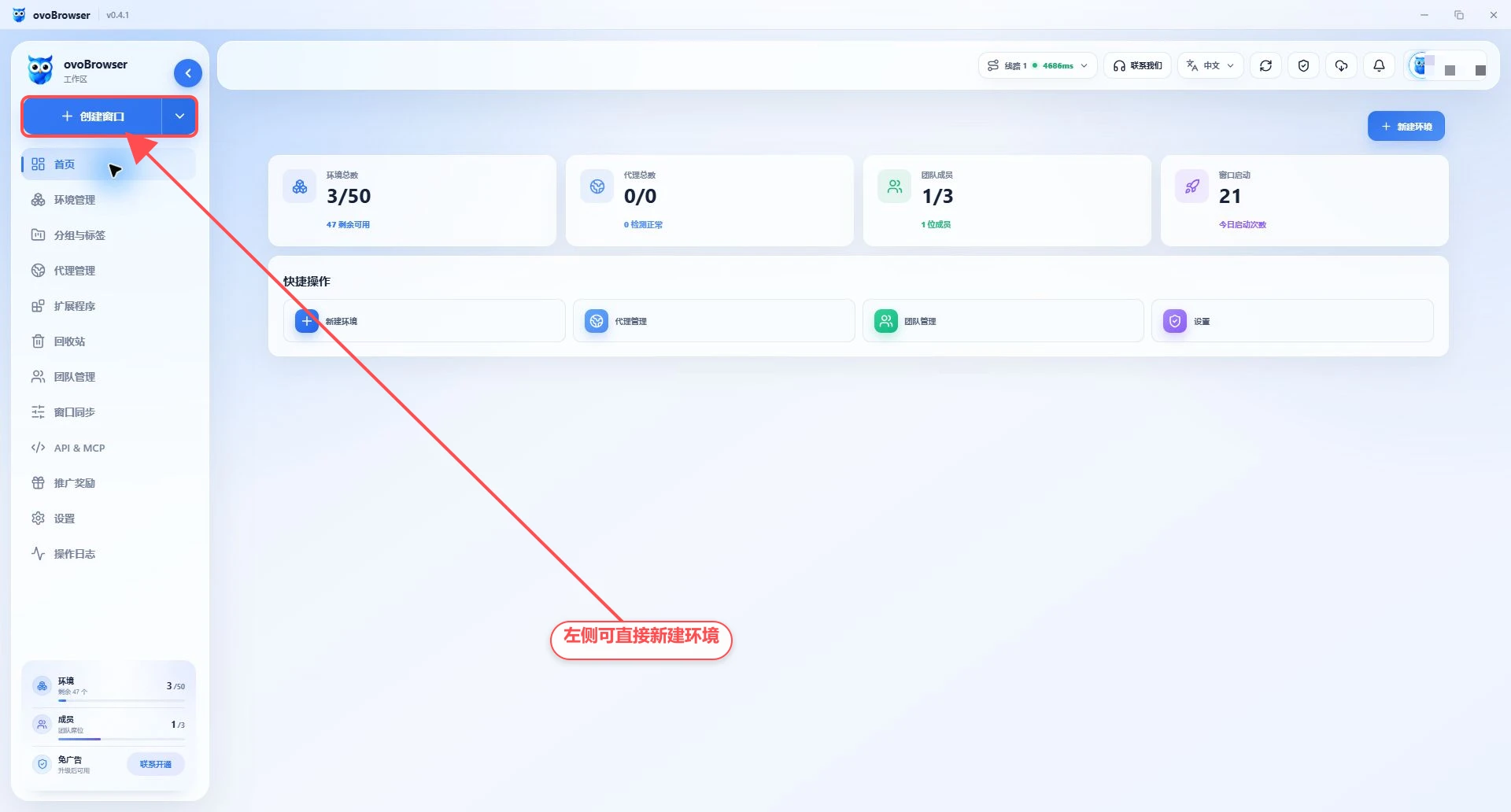
ovoBrowser Software function navigation
This page is an overview of ovoBrowser client functions. The actual visible menu will be affected by team role permissions and package benefits; if a certain entrance is not displayed, please contact the team owner to check the permissions.
ovoBrowser Software function navigation
This page is an overview of ovoBrowser client functions. The actual visible menu will be affected by team role permissions and package benefits; if a certain entrance is not displayed, please contact the team owner to check the permissions.
profile and Resource Management
Profile Management
Create, edit, bulk import, launch, close, share and delete browser profiles. Each profile can independently save accounts, Cookie, proxies, browser fingerprints, launch tabs and browser behavior.
Recommended reading: Bulk Profile Management Guide
Groups & Tags
Create color-coded groups by business, account, or owner, and filter by group in the profile list.
Recommended reading: Group Management Guide
Proxy Management
Centrally save HTTP, HTTPS, SOCKS5 proxies, test exit IP, region and delay, and then allocate them to the profile for use.
Recommended reading: Proxy Management Guide, Using the Proxy Setup Overview
Recycle bin
Restore deleted profiles or completely delete profiles that are no longer needed. The Recycle bin holds up to 100 profiles.
Recommended reading: Restore the profile in the Recycle bin
Browser capabilities
extension
Import the extension from a local folder, ZIP, CRX or Chrome app store link, distribute by all profiles or specific profiles.
Recommended reading: Installing and managing extensions
Window Sync
Select a master window and synchronize mouse, keyboard, and scrolling operations to multiple follower windows; you can also arrange windows, enter text in batches, and manage tabs.
Recommended reading: Using Window Sync
Cache settings and kernel management
View and migrate profile cache directories, automatically clean long-unused caches, download or uninstall the Chromium kernel, and update the ovoBrowser client.
Recommended reading: FAQs about cached files
Team and open capabilities
Team management
Team owners can create members directly, create members in batches, or send email invitations, and control menus and operation permissions through customized roles. Resources can be transferred to a receiver when a member is deleted.
Recommended reading: Team Members and Permission Management
Promotional rewards
Bind GitHub and complete the warehouse Star, you can receive additional quota according to the page rules; you can also use the invitation code to invite real new users, and view the valid, under review and invalid invitation records.
Recommended reading: Benefits from participating in the promotion
API & MCP
After starting the automation service on this machine, you can query, create, update, open and close the profile through HTTP API, and obtain the CDP address to connect Playwright, Puppeteer or Selenium.
Recommended reading: API Quickstart
global function
Home page: View an overview of the profile, proxies, members, and launch times;
Notification Center: View system notifications and version update prompts;
Settings: Manage cache, network test, client version, kernel and login methods;
Appearance: Toggle follow system, light or dark mode in the user menu;
Language: Switch client language from the top bar;
Refresh data: close the current running profile and restart the client and then reload the data;
Contact us: Open customer service contact information from the top bar.
Recommended learning order
Read Start using ovoBrowser to complete the installation, registration and first login;
Read ovoBrowser Beginner's Guide to create and open the first profile;
Read Using the Proxy Setup Overview to configure independent exits for multiple profiles;
Read Bulk Profile Management Guide to master batch import, username, Cookie and fingerprint;
Team users continue reading Team Members and Permission Management and Using Window Sync;
Automation users continue reading API Documentation Quick Start.